Introduction
Google Finance is a useful platform for anyone who wants to follow stock market movements, check company performance, explore financial news, and understand investment trends. Whether you are a beginner learning about the stock market or an experienced investor tracking your favorite companies, Google Finance helps you access important financial information in one place.
The platform provides stock prices, market indexes, historical charts, company news, and other financial data. It can help you research companies, compare stocks, and stay informed about financial market developments.
In this guide, you will learn what Google Finance is, how it works, its main features, and how you can use it to improve your financial research.
What Is Google Finance?
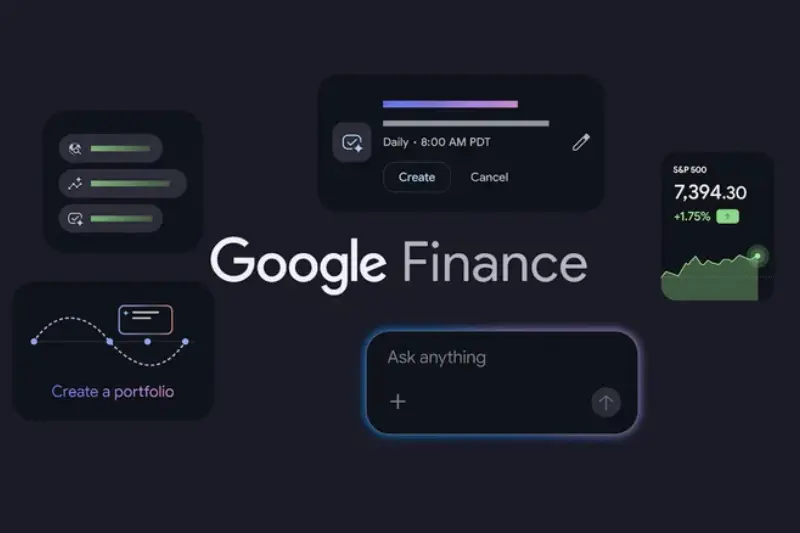
Google Finance is a financial information platform developed by Google. It allows users to monitor publicly traded companies, explore stock market data, compare securities, and follow financial news.
You can search for a company by its name or stock ticker symbol to find its available share price, historical performance, related news, and financial information.
For example, if you want to follow companies such as Apple, Microsoft, or Tesla, you can search for them on Google Finance and explore their market information.
The platform is particularly useful because it brings different types of financial information together, making it easier to research companies without visiting multiple websites.
Key Features of Google Finance

1. Stock Market Prices
One of the main reasons people use Google Finance is to check stock prices. You can search for a company and review its available price information, daily changes, and historical performance.
This information helps you understand whether a stock has increased or decreased in value over a particular period.
However, market data may not always be real-time, so you should verify prices with your broker when making time-sensitive trading decisions.
2. Interactive Stock Charts
Google Finance provides charts that help users understand how stock prices have changed over time.
You can use these charts to:
- Review historical stock performance.
- Examine price movements over different periods.
- Compare the performance of different companies.
- Identify general market trends.
- Understand how prices respond to major events.
Charts are helpful for financial research, but past performance does not guarantee future results.
3. Personalized Watchlists
A watchlist allows you to follow stocks and securities that interest you.
For example, if you are interested in technology companies, you can create a list of selected businesses and monitor their performance in one place.
Watchlists make it easier to organize your research and keep track of companies you may want to study further.
Some personalized features may require you to sign in with a Google Account.
4. Financial News and Market Updates
Financial news plays an important role in understanding stock market movements. Google Finance helps users discover news related to companies, industries, and broader economic developments.
You can follow announcements about company earnings, business expansion, economic policies, and other events that may influence stock prices.
Reading relevant news alongside price charts gives you a broader understanding of why a stock might be rising or falling.
5. Company Earnings and Financial Reports
Google Finance can help you explore available company financial information and related earnings news.
Financial reports provide details about revenue, profits, expenses, and business performance. Reviewing these figures can help you understand whether a company is growing and how its financial position is changing.
Rather than focusing only on share prices, consider studying company earnings and official financial reports before making investment decisions.
6. AI-Powered Financial Research
AI-powered research features can help users explore financial questions, summarize selected information, and understand market developments.
These tools may make it easier to investigate companies and identify topics that deserve further research.
However, AI-generated information can sometimes be inaccurate or incomplete. Always verify important financial figures and claims using reliable sources.
7. Portfolio Tracking
Portfolio tracking helps you monitor the investments you own or want to follow.
Google’s newer Finance experience includes portfolio-related features that can help users review investment performance and examine their holdings.
Availability may vary depending on your account, location, and the version of Google Finance you use.
How to Use Google Finance
If you are new to Google Finance, getting started is simple. Follow these steps to explore the platform.
Step 1: Visit Google Finance
Open your browser and visit finance.google.com. You can also search for Google Finance through Google Search.
Step 2: Search for a Company
Enter the company name or stock ticker symbol in the search field.
For example, you can search for a technology company, a bank, or another publicly traded business. Make sure you select the correct company and stock exchange listing.
Step 3: Review Stock Information
Open the company’s page and examine its available share price, historical charts, price changes, and related financial news.
Try reviewing several time periods instead of judging a company’s performance based on a single day.
Step 4: Create a Watchlist
If you regularly follow certain stocks, add them to a watchlist when the feature is available.
You can organize companies according to your interests, such as technology, banking, healthcare, or energy.
Step 5: Compare Different Companies
Compare companies to understand how their stock prices and performance differ.
Remember that a lower share price does not necessarily mean a stock is cheaper or a better investment. Consider financial performance, valuation, business risks, and future prospects as well.
What Information Can You Find on Google Finance?
Google Finance provides access to several types of financial information.
| Information | Purpose |
| Stock prices | Check available share price information |
| Market indexes | Follow selected groups of stocks |
| Historical charts | Review price movements over time |
| Financial news | Understand important business developments |
| Earnings information | Examine company financial performance |
| Watchlists | Organize stocks you want to follow |
| Portfolio features | Monitor selected investments and holdings |
The exact information available depends on the security, market, and features offered in your region.
Is Google Finance Free to Use?
Yes, many Google Finance features are available free of charge. Users can explore stock information, market trends, charts, and financial news without paying a subscription fee.
Some personalized features may require a Google Account, and the availability of advanced research or portfolio tools can vary.
Google Finance is primarily a financial information platform rather than a brokerage service. If you want to buy or sell stocks, you will generally need an account with a suitable broker.
Google Finance for Beginners
If you are just starting to learn about investing, Google Finance can be a helpful place to begin.
Learn Basic Stock Market Terms
Before researching companies, understand some common financial terms.
- Share price: The quoted or traded price of a company’s share.
- Market capitalization: The market value of a company’s outstanding shares.
- Dividend: A payment a company may distribute to eligible shareholders.
- Earnings per share (EPS): A measure of company earnings relative to its shares.
- Stock index: A measure that tracks a selected group of securities.
Understanding these terms makes financial charts and company reports easier to interpret.
Follow Companies You Understand
Start by researching a few companies whose products or services you already know.
Follow their financial news, examine available earnings information, and learn how changes in their industries affect their performance.
Avoid Decisions Based on Daily Price Changes
Stock prices can rise or fall for many reasons. A sudden increase does not necessarily mean a company is financially strong, and a price decline does not automatically make a stock a good investment.
Use several sources of information to build a balanced understanding before making financial decisions.
You may also like to read this:
Bajaj Housing Finance Share Price and Stock Analysis
Jio Finance Share Price: Latest Updates and Analysis
Jio Finance Share: Price, Future Growth and Investment Guide
Ujjivan Small Finance Bank: Services, Loans & Benefits
Advantages of Google Finance
Google Finance offers several benefits for people who want to follow financial markets.
- Easy access: You can explore financial information through a web browser.
- Convenient research: Stock data, charts, and news are available in one place.
- Company comparisons: You can compare selected securities and review their performance.
- Watchlist features: You can organize companies you want to monitor.
- Learning opportunities: Beginners can develop a better understanding of financial markets.
- Research assistance: Available AI features can help explain financial developments.
These features make Google Finance a practical option for everyday market research.
Limitations of Google Finance
Although Google Finance is useful, it has some limitations.
First, stock prices and other market information may be delayed or updated at different intervals depending on the exchange and security.
Second, the platform does not replace a professional investment adviser or provide a guarantee of profitable investments.
Third, AI-generated summaries can contain mistakes or overlook important details. You should verify important information using official company reports and other reliable financial sources.
Finally, having access to financial charts and news does not eliminate investment risk. Stock prices can fall, and investors may lose money.
Google Finance vs. Other Financial Platforms
Google Finance is one of many services available for researching financial markets.
| Feature | Google Finance | Other Financial Platforms |
| Stock information | Available | Commonly available |
| Financial news | Available | Available on many platforms |
| Historical charts | Available | Features vary |
| Watchlists | Available features vary | Common feature |
| AI-assisted research | Available features vary | Depends on provider |
| Direct trading | Not its primary purpose | Some platforms support trading |
| Advanced analysis | Depends on available tools | Some offer specialized tools |
If you want a straightforward way to follow stock prices and market news, Google Finance may meet your needs. If you need advanced technical analysis, professional research, or direct trading, a specialized platform may be more suitable.
Who Should Use Google Finance?
Google Finance can be useful for several groups of people.
Beginners: People learning about stocks can explore market information and become familiar with financial terminology.
Individual investors: Investors can monitor selected companies, follow financial news, and organize their research.
Business professionals: Professionals researching public companies can review financial information and industry developments.
Students: Students studying economics, finance, or business can use market information to understand real-world examples.
Content creators: Bloggers and financial writers can use the platform as a starting point for research, while verifying important claims through primary sources.
Tips for Getting Better Results From Google Finance
To make your financial research more effective, follow these practical tips:
- Search using the correct company name and ticker symbol.
- Examine both short-term and long-term price movements.
- Read financial reports instead of relying only on headlines.
- Compare companies using relevant financial measures.
- Use watchlists to keep your research organized.
- Verify important information against official company disclosures.
- Avoid assuming that a stock will rise simply because its recent chart looks positive.
Following a consistent research routine can help you understand market developments and make more informed decisions.
Frequently Asked Questions (FAQs)
1. What is Google Finance used for?
Google Finance is used to track stock prices, explore financial news, view historical charts, compare securities, and research publicly traded companies.
2. Is Google Finance free?
Yes, many Google Finance features are free. Some personalized features may require you to sign in with a Google Account.
3. Can I check stock prices on Google Finance?
Yes, you can search for a company or security and review its available stock price information, historical charts, and related financial news.
4. Can I track my investments with Google Finance?
Google’s newer Finance experience includes portfolio-related features that can help you monitor selected investments. Availability may vary by region and account.
5. Does Google Finance provide real-time stock prices?
Update frequency varies by exchange and security. If you need precise real-time prices for trading, confirm them with your broker or a suitable market-data provider.
Conclusion
Google Finance is a useful platform for anyone who wants to understand stock market movements, follow companies, and explore financial news. Its stock information, charts, watchlists, and available research features make financial data easier to access.
Whether you are a beginner, an individual investor, or a business researcher, you can use Google Finance to develop a better understanding of financial markets. The key is to look beyond daily price changes, verify important information, and understand the risks before investing.
Ultimately, Google Finance is a research tool, not a guarantee of investment success. Use it to learn, compare companies, and monitor market trends while making financial decisions carefully.